
Inkscape Logo a Logo
Joaclint Istgud
Screenshots

App details
- Updated
- Sep 11, 2019
- Language
- English
- Developer
- Joaclint Istgud
- Category
- Mobile
SoftPas in:
This product is also available in the following languages:
About Inkscape Logo a Logo
Download Inkscape Logo a Logo – Inkscape, vector graphics, beginner’s guide, open source, Creative Commons, PDF manual, graphic design, digital illustration, free download
Overview
Designed by Joaquin Herrera Goás, Inkscape Logo a Logo is a 175-page PDF manual crafted to support individuals new to vector graphics design. The guide serves as a structured learning tool for mastering Inkscape, a powerful open-source vector graphics editor available across Windows, macOS, and Ubuntu. Its primary purpose is to demystify the software’s interface and core functionalities, enabling beginners to build foundational skills in digital illustration and graphic design. The manual addresses common entry barriers such as complex terminology and non-intuitive workflows, offering step-by-step instructions to ease the learning curve.
Target users include students, hobbyists, educators, and creative professionals seeking a no-cost, self-paced introduction to vector-based design. By focusing on Inkscape versions 0.45 and 0.46, the guide ensures relevance for users working with these specific releases. Real-world applications include creating logos, icons, web graphics, and illustrations—tasks essential in both personal and professional design workflows. In the broader app ecosystem, this manual fills a critical gap by providing accessible, high-quality educational content for open-source software, reinforcing the importance of community-driven learning. Its Creative Commons licensing further amplifies its impact, allowing unrestricted sharing and adaptation.
Key Features & Functionality
- Beginner-Friendly Structure: The guide is explicitly designed for users with no prior experience in vector graphics. Concepts are introduced progressively, with clear explanations and visual references to support comprehension.
- Comprehensive Coverage: Spanning 175 pages, the manual details essential functions such as path creation, shape manipulation, text integration, and layer management—key components of effective vector design.
- Version-Specific Guidance: Tailored for Inkscape versions 0.45 and 0.46, the manual provides accurate instructions aligned with the features and interface of these releases, minimizing confusion for users operating within this ecosystem.
- Open-Source Accessibility: As a free resource, the guide complements Inkscape’s open-source nature, promoting equitable access to design education regardless of financial or geographic constraints.
- Community-Driven Licensing: Published under a Creative Commons license, the manual encourages redistribution, translation, and collaborative improvement, fostering a culture of shared knowledge.
For example, a student learning logo design can follow the guide’s structured lessons to create their first vector illustration. A teacher might use the manual as a classroom handout, leveraging its clear layout and consistent terminology. The practical focus ensures that each section builds toward tangible outcomes, helping users transition from theory to application with confidence.
Interface, UX & Performance
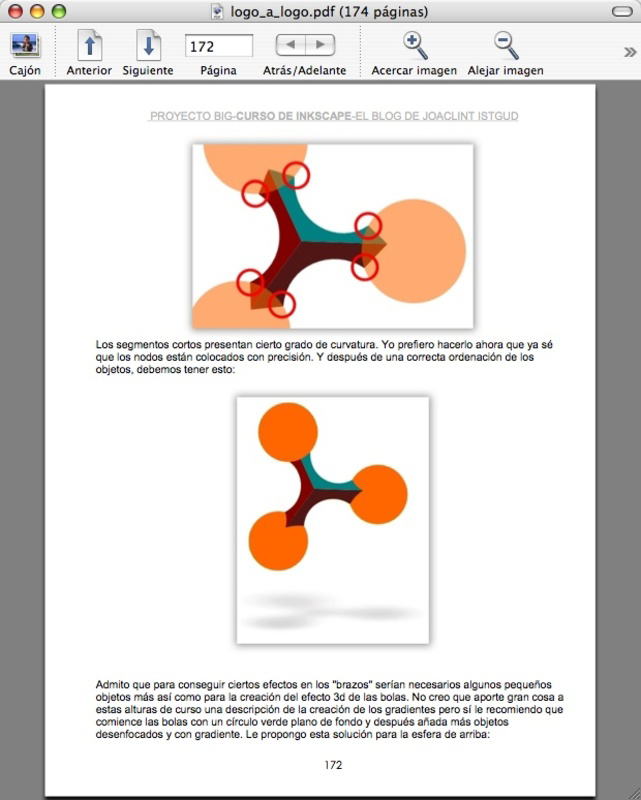
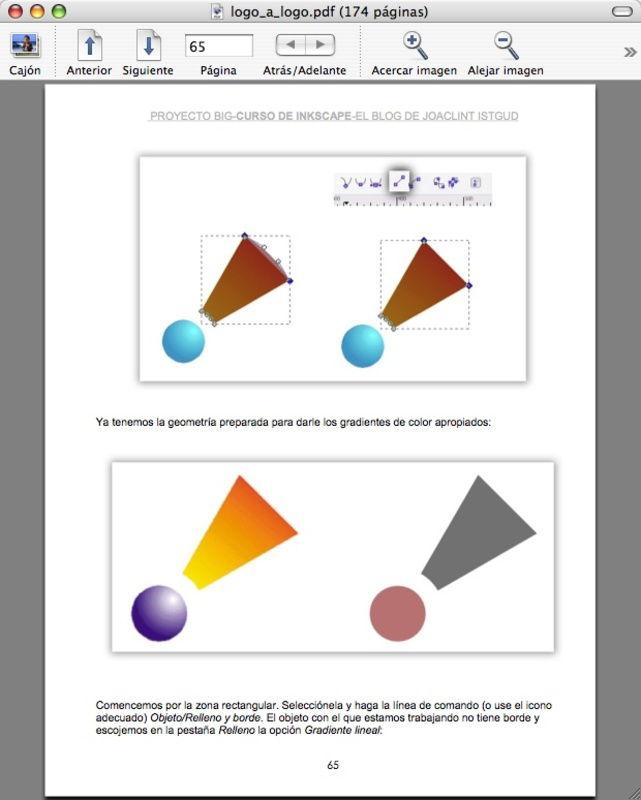
As a PDF document, Inkscape Logo a Logo does not feature a traditional app interface. Instead, its usability is defined by its document structure, readability, and navigational clarity. The layout is clean and consistent, with logical sectioning, headers, and visual aids such as annotated screenshots and diagrams. This enhances the user experience by reducing cognitive load and enabling efficient information retrieval.
Navigation is facilitated through a detailed table of contents and page numbers, allowing users to jump directly to relevant topics. The document’s performance is stable and reliable, as it does not depend on runtime processes or device-specific rendering. It opens quickly on any device with a PDF reader, ensuring accessibility across smartphones, tablets, and desktops. Although the developer did not list formal performance metrics, the file size of 1.2 MB indicates lightweight loading and minimal storage impact.
Responsiveness is consistent across devices, with text and images scaling appropriately. The absence of interactive elements means the experience remains predictable and distraction-free. Stability is high, as PDFs are inherently less prone to crashes than native apps. Users can expect a seamless reading experience regardless of device type or operating system, provided a compatible PDF viewer is available.
Platform Compatibility & Technical Requirements
Inkscape Logo a Logo is distributed as a PDF file, making it compatible with virtually all modern devices and operating systems. It can be opened on Android, iOS, Windows, macOS, and Linux platforms using standard PDF readers. The file size is 1.2 MB, which ensures quick download and minimal storage consumption.
The developer did not specify minimum OS requirements or device specifications. However, given its lightweight format and universal file type, it is likely accessible on most devices launched within the past decade. The guide is version 1.0, indicating a stable release. It is not tied to a specific app ecosystem or platform, allowing users to access it directly via email, cloud storage, or direct download links.
Compatibility with Inkscape versions 0.45 and 0.46 is explicitly noted, suggesting that users of these software releases will benefit most from the guide’s content. No additional plugins, subscriptions, or account creation are required to access or use the manual.
Pros and Cons
- Comprehensive 175-page guide for beginners
- Free to download and share under Creative Commons
- Specifically tailored for Inkscape versions 0.45 and 0.46
- Open-source and cross-platform compatible
- Clear, step-by-step instructions with visual support
- Not compatible with newer versions of Inkscape
- PDF format limits interactivity and dynamic content
- Does not include video tutorials or interactive exercises
- Requires a separate PDF reader for access
- Content may feel outdated for users of modern Inkscape versions
FAQ
Is Inkscape Logo a Logo available for free?
Yes, the guide is provided at no cost. It is published under a Creative Commons license, allowing free download, sharing, and adaptation with proper attribution.
Can I use this guide with the latest version of Inkscape?
The manual is specifically designed for Inkscape versions 0.45 and 0.46. While some foundational concepts may still apply, users of newer versions may encounter interface differences or missing features, so accuracy may vary.
What file format is this guide available in?
The guide is distributed as a PDF file, which is compatible with all major operating systems and devices that support PDF readers.
Do I need to install any software to use this guide?
No additional software is required beyond a standard PDF reader. Most devices come with built-in PDF viewers, or you can download a free reader from your app store.
Is the guide safe to download?
Yes, as a PDF document hosted by a reputable developer and shared under a Creative Commons license, the guide is secure and free from malware or harmful content.
Final Thoughts
Inkscape Logo a Logo stands as a valuable educational tool for anyone beginning their journey in vector graphics. Its structured approach, clear language, and focus on foundational skills make it an ideal companion for beginners navigating Inkscape’s powerful yet complex interface. While its version-specific content limits relevance for users of modern Inkscape releases, its core principles remain applicable and instructive.
For students, educators, and independent learners, this free PDF manual offers a rare opportunity to access high-quality design education without cost. Its open licensing model supports global learning and collaboration, reinforcing the ethos of open-source communities. Despite the lack of interactive elements, the guide’s clarity and depth deliver tangible learning outcomes.
Download Inkscape Logo a Logo now and start mastering the fundamentals of digital illustration with confidence.
Guides & Tutorials
How to install Inkscape Logo a Logo
- Click the Download button above.
- Once redirected, accept the terms and click Install.
- Wait for the Inkscape Logo a Logo download to finish on your device.
How to use Inkscape Logo a Logo
This software is primarily used for its core features described above. Open the app after installation to explore its capabilities.
User Reviews
No reviews yet. Be the first to share your experience.
You may also like
more
Que no te pillen¡
About !Que no te pillen¡Reviewed by Jason A. BilbreyShow MoreShow Less

3D Combat Zone
About 3D Combat ZoneOriginally released in 1983, 3D Combat Zone immerses players...

666: El día del portal
About 666: El día del portalOn June 6, 2006, Agent P. Stone uncovers a sinister...

80 in 1 Best Flash games
About 80 in 1 Best Flash games 80 in 1 Best Flash games is a collection of 80 fl...

ABYSS SEEKERーーWhat Do You See Deep in The Abyss
About ABYSS SEEKERーーWhat Do You See Deep in The AbyssIn ABYSS SEEKER, players...

ACA NEOGEO THE KING OF FIGHTERS 2002 for Windows
About ACA NEOGEO THE KING OF FIGHTERS 2002 for WindowsTHE KING OF FIGHTERS 2002,...